Strategy & switching
Configure direction switching, streak rules, Martingale behavior, progression settings, dividers, and bet values from BetSet.

Android release available
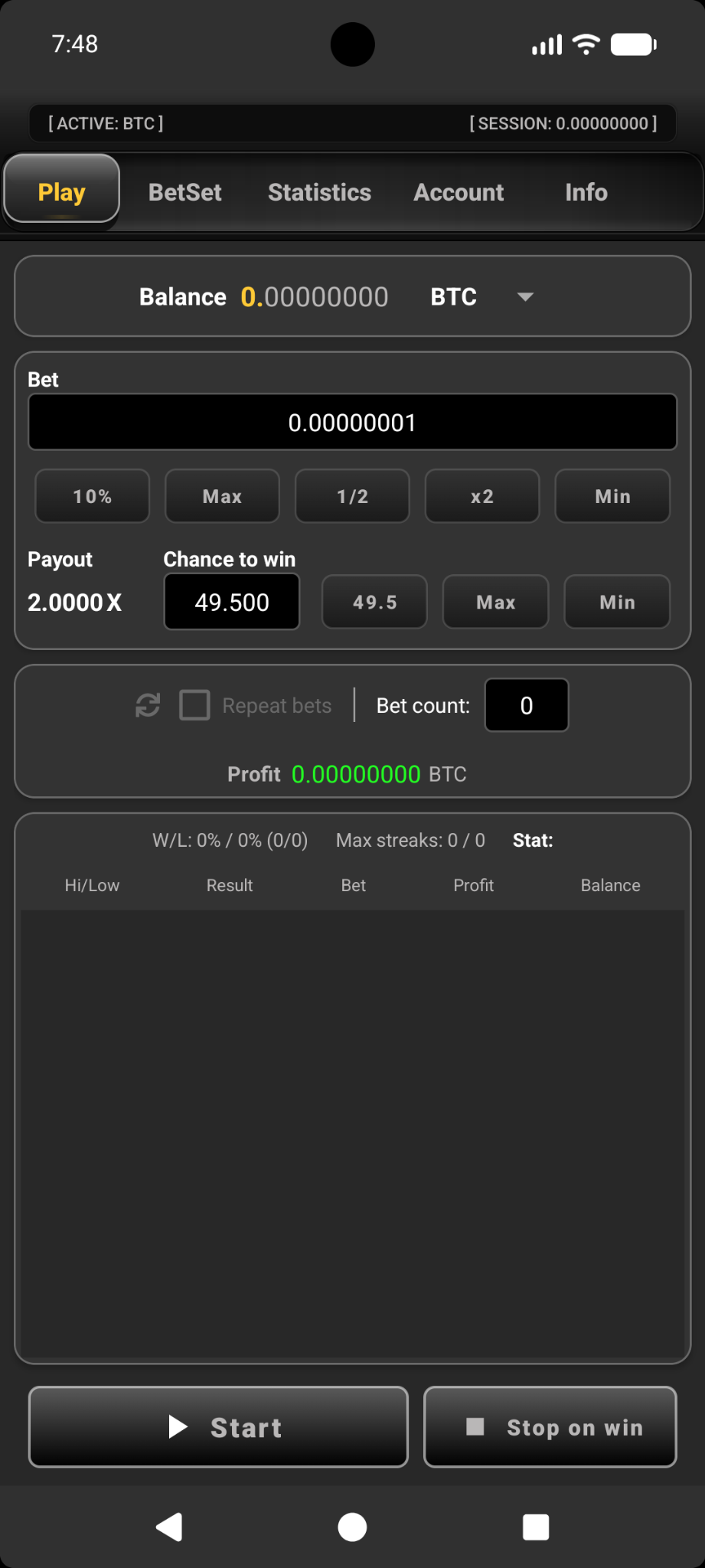
Relandice Bot CG 2.00 introduces a redesigned Android interface with Play, BetSet, Statistics, Account, and Info screens. Configure automated betting rules, review session performance, and manage API access from one app.
 Relandice Bot CGCryptoGames edition
Built around your workflow
The new release expands the original workflow with strategy controls, real-time session statistics, API authentication, and Android behavior settings.
Configure direction switching, streak rules, Martingale behavior, progression settings, dividers, and bet values from BetSet.
Track global and per-currency profit, win rate, streaks, duration, bets per minute, and other session metrics.
Sign in with your Crypto.Games API key and configure recovery, vibration, session info, screen behavior, statistics reset, and notifications.

Relandice identity
The Relandice cube artwork complements the interface preview with a recognizable brand accent.
Original app screenshots
Preview all five main screens in Relandice Bot CG 2.00: Play, BetSet, Statistics, Account, and Info.
Install in a few steps
Install the current 2.00 CryptoGames Edition APK. If Android does not allow an in-place update from an older build, remove the previous version and then install 2.00.
Disable battery optimization for Relandice Bot CG. Android may otherwise stop the app after a short period of background activity.
Download RelandiceBotCG200.apk directly from relandice.com.
Android may ask permission to install from your browser or file manager.
Open the Account tab and use your Crypto.Games API key to sign in.
Allow unrestricted background activity if your device stops the app while it is running.
Quick answers
Install RelandiceBotCG200.apk. It is version 2.00 (200), the current CryptoGames Edition offered on this website.
Yes. The APK is provided for Android phones and tablets.
Open the Account tab in Relandice Bot CG 2.00 and sign in using an API key created in your Crypto.Games account settings.
Some Android devices stop background activity to conserve power. Allowing unrestricted activity helps avoid interrupted sessions.
Email support@relandice.com with feature suggestions or support questions.
Current Android release
Version 2.00 (200) CryptoGames Edition for Android phones and tablets.